Function Description

Function Description

How to use “Import with Pixel Rifine (resolution)”

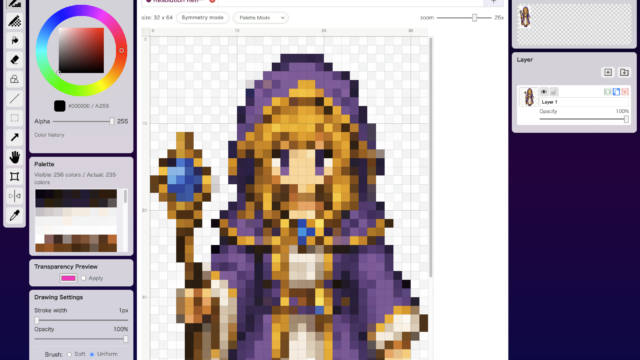
Import with Pixel Refine (Resolution) differs from the standard Pixel Refine feature by allowing you to specify the fina...
Function Description

How to Use the Eyedropper Tool

Eyedropper Tool picks a color directly from the canvas and makes it the current drawing color. It is essential when you want to reuse an exact color that is already in the artwork.
Function Description

How to Use the Flip Tool

Flip Tool lets you flip content horizontally or vertically. It is useful when you want to create mirrored variations quickly or reverse the direction of a part without redrawing it.
Function Description

How to Use the Hand Tool

Hand Tool lets you drag the canvas to change what part of it is visible. It is useful when you are zoomed in on a large canvas and want to look around quickly.
Function Description

How to Use the Shape Tool

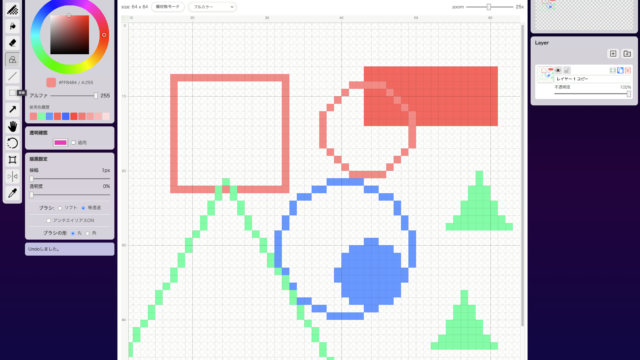
Shape Tool is for placing clean rectangles, circles, triangles, and straight lines. It is useful for outlines that are hard to align by hand, as well as UI parts and symbol work.
Function Description

How to Use the Arrow Tool

Arrow Tool is used to move a selection or an entire layer. It is not for drawing; it is for alignment and small positional adjustments.
Function Description

How to Use Merge Colors

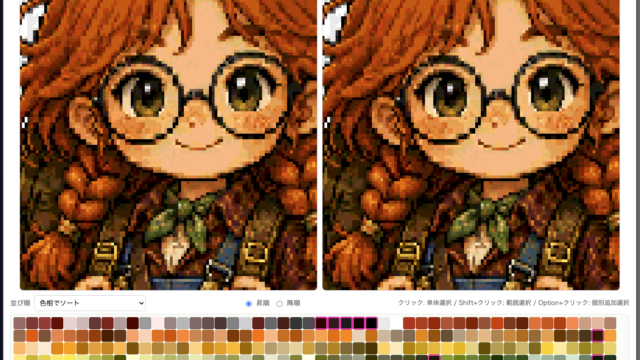
Merge Colors lets you reduce the number of colors while choosing exactly which colors should be combined. It is better than automatic reduction when you want to preserve your own intent while trimming the palette.
Function Description

How to Use Hue / Saturation

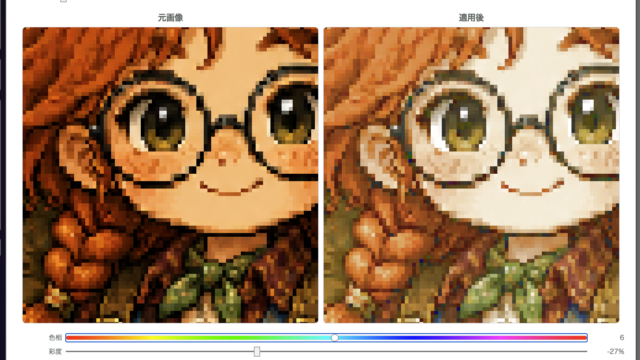
Hue / Saturation is for quickly adjusting the overall color feel of the image. It is useful when you want to shift the mood a little or create color variations from the same artwork.
Function Description

How to Use the Eraser Tool

Eraser Tool is the basic tool for turning drawn pixels back into transparency. It works for both tiny one-pixel cleanup and larger erasing with a broader brush.
Function Description

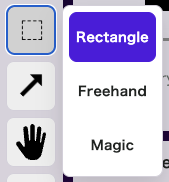
How to Use the Selection Tool

Selection Tool is used when you want to define an editable area or cut something out. It offers three methods: rectangle selection, freehand selection, and automatic selection based on similar colors.